Plasmid Map Maker: From Sequence to Annotated Map
Video · 1:07 · Published Invalid Date · Talindrew team
About this video
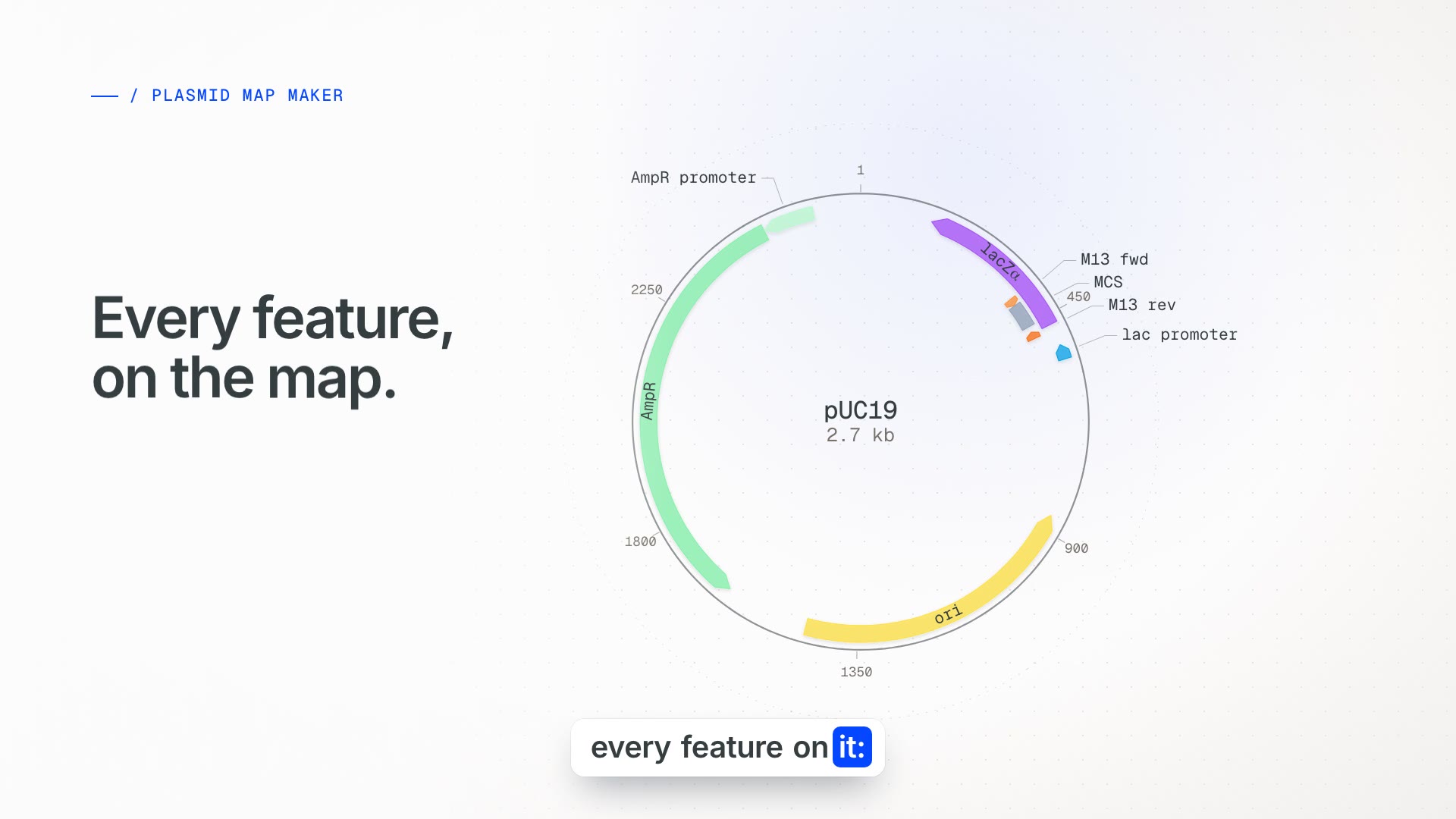
pUC19 as one continuous object: its sequence curls into a circular map, features and cut sites appear, the ring unrolls into the linear map and the bases themselves, a GFP insert goes in at the multiple cloning site and the numbering follows, ranked primer pairs appear for the insert, and the finished 3,403 bp construct exports as GenBank, FASTA or an image.
What you will learn
- How a circular plasmid map and a linear map show the same sequence.
- Where EcoRI, BamHI and HindIII sit in the pUC19 multiple cloning site.
- How primer pairs are ranked on melting temperature, GC content and dimers.
Transcript
- 0:00
Sequence to map
Every plasmid starts as a string of letters. Paste a sequence, or drop in a GenBank or FASTA file.
- 0:10
Features
Talindrew draws the map with every feature on it: the promoter, the origin, the resistance gene.
- 0:19
Cut sites
Every cutter shows up on the ring, so you can see exactly where to open it.
- 0:24
Base view
Zoom in, and the map becomes the sequence itself, base by base.
- 0:31
Insert GFP
Drop in an insert. The map rebuilds around it, and the numbering follows.
- 0:38
Primers
Select a region, and ranked primer pairs appear, scored on melting temperature, GC content and dimers.
- 0:47
Finished construct
Curl it back into a circle, and your construct is ready.
- 0:51
Export
Export GenBank or FASTA, or the map as SVG, PNG or PDF. Talindrew. The plasmid map maker in your browser, free to start.
Try it on your own sequences.
Free to use. No download required. Works in any modern browser.